Solving the Bathroom Audio Dead Zone: Upgrading an IKEA Speaker to AirPlay 2
This article is migrated from Medium and translated by Gemini pro 3.
Introduction: Ears Spoiled by Convenience
Since introducing an Apple HomePod Mini into my home, my music listening habits have fundamentally changed.
Gone are the days of fiddling with Bluetooth pairing. Now, as long as my phone is on the same Wi-Fi network, a single tap on AirPlay fills the room with music. The best part is the automation: waking up to soft jazz or triggering a sleep playlist with a simple “Hey Siri.” This “always-ready” experience has zero learning curve, making it accessible for everyone in the household.
There’s another critical advantage that only AirPlay users truly appreciate: Audio Separation.
With standard Bluetooth speakers, I was always terrified of scrolling through social media while listening to music. One accidental click on an Instagram Story or a Facebook video, and the immersive music would be jarringly interrupted by a loud video clip. AirPlay is smarter—it “casts” only the music app’s audio to the speaker, keeping system sounds and social media audio on the phone. I can finally doom-scroll in peace without killing the vibe.
However, the bathroom remained an audio dead zone.
Because the HomePod Mini isn’t waterproof, I couldn’t place one there. To listen to music while showering, I bought a dedicated waterproof Bluetooth speaker, but the experience was incredibly clunky.
Every time I wanted to shower, I had to manually turn on the speaker and dive into my phone’s Bluetooth settings. The most annoying part? If the previous user was a family member, the speaker would aggressively auto-connect to their phone, forcing me to hunt down their device to disconnect it before I could pair mine.
Eventually, the friction was too high, and the Bluetooth speaker started gathering dust.
The Solution: Bringing “Smart” to the Bathroom
To reclaim my shower karaoke sessions, I brainstormed a few solutions:
- Hardware Mod: Build a waterproof case for the HomePod Mini?
- Verdict: Too risky. Moisture damage is likely, and it would muffle the sound.
- The “Hack” approach: Disassemble a Bluetooth speaker and shove a Wi-Fi chip inside?
- Verdict: Waterproof speakers are usually sealed tight. Opening one destroys its water resistance.
- The Bridge Method: <– The Winner
- The concept: Use a device to act as a permanent “Middleman.” It pretends to be an always-online AirPlay speaker on the network. When it receives audio, it wakes up and pipes the sound to the bathroom Bluetooth speaker.
This way, users only see a permanent “Bathroom Speaker” on their phones. When I walk into the bathroom, I just turn on the physical speaker, and the audio automatically bridges over.
Hardware Selection
- The Bridge: A spare Raspberry Pi 4. It’s overkill for this, but it was lying around.
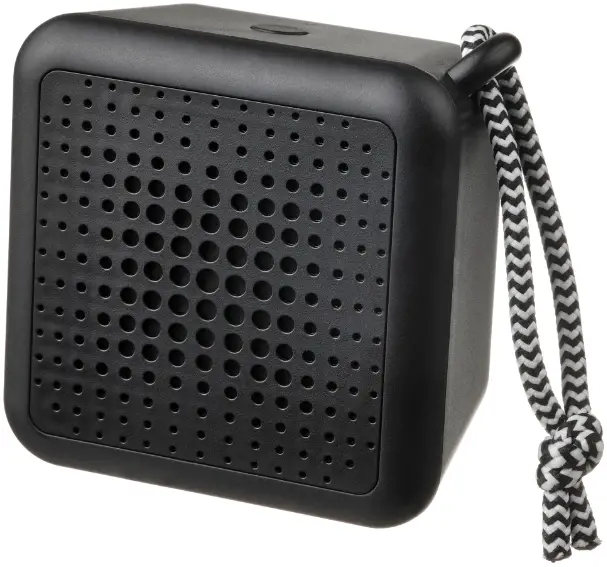
- The Speaker: IKEA VAPPEBY Bluetooth Speaker.
- Why? It’s waterproof, affordable, and crucially, it has an auto-off feature when disconnected for a while. This is vital for the power-saving logic I planned.
The Technical Challenge: Latency and Linux Audio
I initially thought this would be a simple AirPlay -> Bluetooth relay. I was wrong. The Linux audio stack is a notoriously deep rabbit hole.
I started with the latest Raspberry Pi OS (Bookworm) using PipeWire. However, in a headless setup, PipeWire’s interaction with Bluetooth was unstable. I frequently encountered “Audio Profile Unavailable” errors even after successful pairing.
I decided to pivot back to a more lightweight, proven solution: BlueALSA (Bluetooth Audio ALSA Backend), combined with the open-source hero Shairport-Sync for AirPlay 2 support.
The Architecture: The “Always-On” Illusion
Standard AirPlay software crashes or disappears if it can’t find an output device (e.g., when the Bluetooth speaker is off). This broke my requirement: I wanted the AirPlay target to be permanently available so I could add it to HomeKit scenes.
My solution was to introduce an ALSA Loopback (Virtual Sound Card):
- iPhone sends audio to RPi via AirPlay.
- RPi dumps audio into a Virtual Sound Card (Loopback). This acts as a black hole, keeping the AirPlay session alive.
- An Audio Bridge Script monitors the system. When playback starts, it wakes up, connects to the Bluetooth speaker, and “loops” the audio from the virtual card to the physical speaker.
Implementation Notes
Here is the summary of the setup process for anyone wanting to replicate this.
1. Environment Prep
To avoid conflicts, I removed PipeWire and installed BlueALSA.
1
2
3
4
5
6
7
# Remove PipeWire interference
systemctl --user stop wireplumber pipewire pipewire-pulse
systemctl --user disable wireplumber pipewire pipewire-pulse

# Install BlueALSA
sudo apt update
sudo apt install bluez-alsa-utils --no-install-recommends
2. Enabling the Virtual Card (Loopback)
This is the secret sauce to keeping the AirPlay target alive.
1
2
# Load the kernel module on boot
echo "snd-aloop" | sudo tee -a /etc/modules
3. Configuring Shairport-Sync
I modified /etc/shairport-sync.conf to output audio to the loopback device and used sessioncontrol hooks to manage the bridge service.
1
2
3
4
5
6
7
8
9
10
11
12
13
14
alsa = {
  output_device = "hw:Loopback,0,0"; // Dump audio into the virtual device
};

sessioncontrol = {
  // Playback starts: Wake up the bridge
  run_this_before_play_begins = "/usr/bin/sudo /usr/bin/systemctl start audio-bridge.service";

  // Playback ends: Kill the bridge (to allow speaker to sleep)
  run_this_after_play_ends = "/usr/bin/sudo /usr/bin/systemctl stop audio-bridge.service";

  // 120s buffer: Prevents disconnection during pauses or track changes
  session_timeout = 120;
};
4. The Audio Bridge Script
This script only runs when music is playing. It pulls audio from the loopback device and pushes it to Bluetooth.
1
2
3
4
5
6
7
8
9
10
11
12
13
#!/bin/bash
BT_MAC="33:85:F6:77:AC:70" # MAC address of the IKEA speaker

# Attempt connection on start (Timeout set to 5s to prevent hanging)
echo "Attempting connection..."
timeout 5s bluetoothctl connect $BT_MAC

while true; do
    # Use alsaloop to bridge audio
    # If Bluetooth disconnects, this command fails, and the loop retries
    alsaloop -C hw:Loopback,1,0 -P "bluealsa:DEV=$BT_MAC,PROFILE=a2dp" -t 50000 --rate 44100 -c 2
    sleep 2
done
I also configured the audio-bridge.service with an ExecStopPost command. When AirPlay has been idle for 2 minutes, the RPi actively disconnects the Bluetooth session. This triggers the IKEA speaker’s “no connection” timer, allowing it to auto-shutdown and save battery.
5. Going Stealth (Removing Light Pollution)
Since the RPi sits in a bedroom, the flashing power and activity LEDs were annoying. I disabled them in /boot/firmware/config.txt.
1
2
3
4
dtparam=pwr_led_trigger=default-on
dtparam=pwr_led_activelow=off
dtparam=act_led_trigger=none
dtparam=act_led_activelow=off
The Result: It Just Works
After adding the Shairport device to Apple Home, the experience is seamless:
- I pick up my phone, open Spotify or Apple Music, and AirPlay to “Bathroom Speaker.”
- (The music plays silently on the virtual card).
- I walk into the bathroom and press the power button on the IKEA speaker.
- BEEP. The music automatically fades in.
I can pause the music to wash my hair without losing the connection. When I’m done and stop playback, the RPi cuts the link after 2 minutes, and the speaker powers itself down 5 minutes later.
I can now ask Siri to “Set the shower scene,” which dims the bathroom lights and plays a jazz playlist. Technology is at its best when you don’t notice it’s there—it just solves your problem.
If you have a spare Raspberry Pi and a Bluetooth speaker lying around, I highly recommend giving this a try.